How to Choose a Gaming Laptop 2024: Your Ultimate Guide

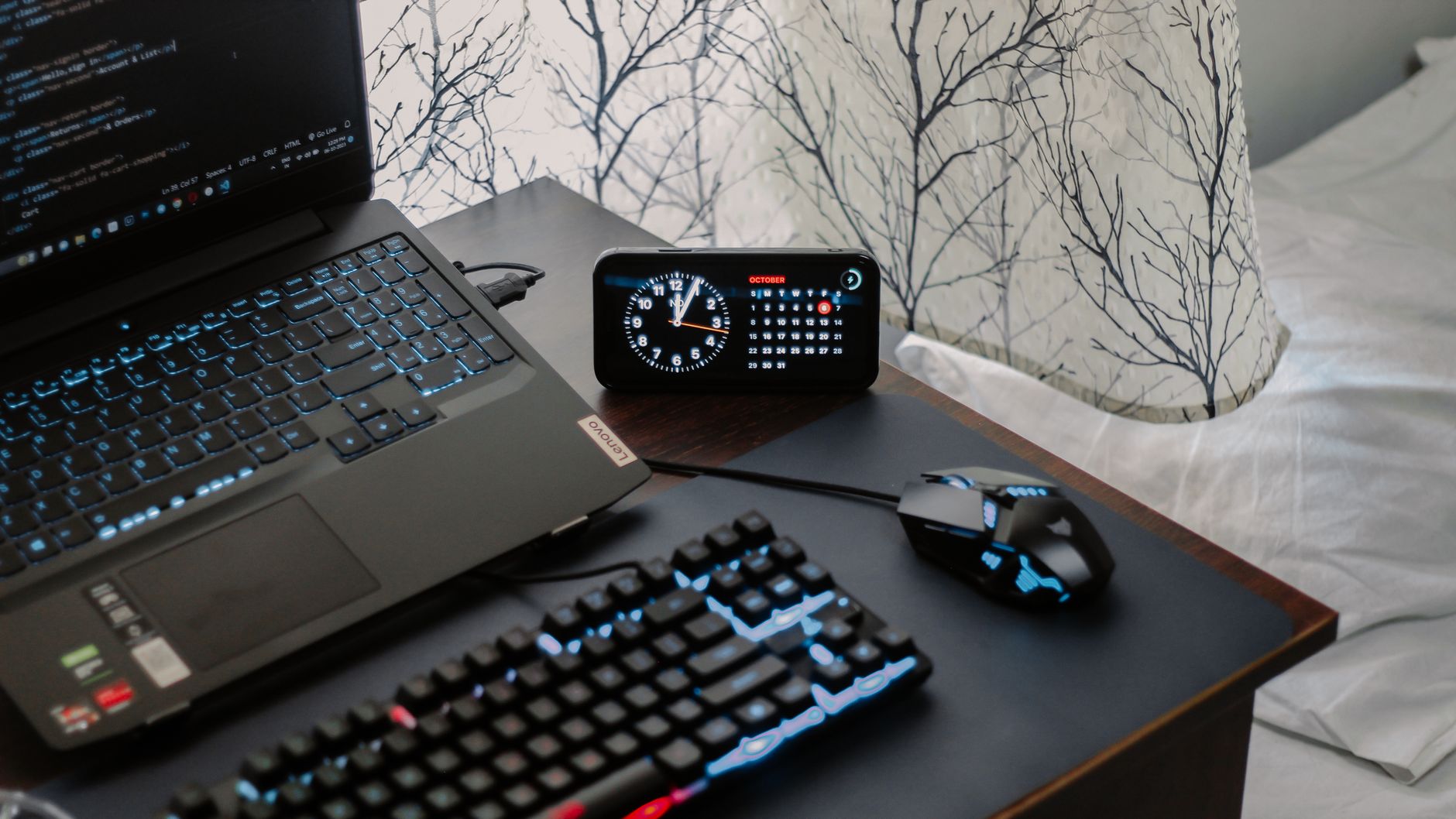
A modern workspace featuring a laptop, digital clock, gaming mouse, and keyboard, ideal for work and tech enthusiasts.Photo: Arjunn. la / Pexels

How to Choose a Gaming Laptop 2024: Your Ultimate Guide

Unlock unparalleled gaming experiences by selecting the ideal laptop tailored to your preferences and budget.

Start Your Gaming Journey

Key Takeaways

  • ✓ GPU is the most critical component for gaming performance.
  • ✓ Screen refresh rate significantly impacts gameplay fluidity.
  • ✓ SSDs are essential for fast loading times and overall system responsiveness.
  • ✓ Balancing budget with desired performance is key for a satisfying purchase.

How It Works

1
Assess Your Gaming Needs

Determine the types of games you'll play (e.g., esports, AAA titles) and your preferred resolution/settings. This dictates the required power.

2
Set Your Budget Realistic

Establish a clear budget range, as gaming laptops vary widely in price. This helps narrow down your options and manage expectations.

3
Prioritize Key Components

Focus on the GPU, CPU, RAM, and storage. Understand how each impacts performance and choose components that align with your gaming demands.

4
Consider Portability & Features

Think about screen size, weight, keyboard quality, and port selection. These factors enhance your overall user experience beyond raw power.

Understanding Core Components: The Heart of Your Gaming Experience
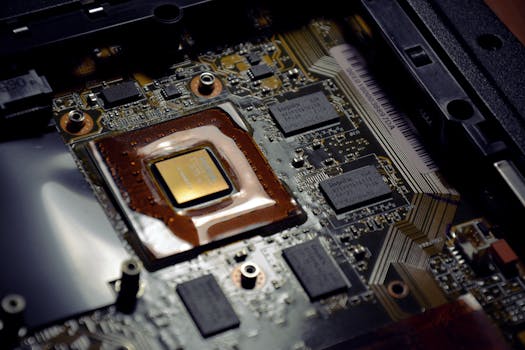
Detailed view of computer processor on motherboard with visible components and circuits.Photo: Alexandra Krainyukhova / Pexels
When you're trying to figure out how to choose a gaming laptop 2024, the internal components are paramount. Unlike standard laptops, gaming machines demand specific, powerful hardware to render complex graphics and maintain high frame rates. The Graphics Processing Unit (GPU) is arguably the single most important factor. It's the engine that drives your games, responsible for generating all the visuals you see on screen. For 2024, NVIDIA's RTX 40-series (e.g., RTX 4060, 4070, 4080, 4090) and AMD's Radeon RX 7000 series (e.g., RX 7600S, 7700S, 7800S) are the dominant players. A higher-tier GPU will allow you to play demanding AAA titles at higher resolutions and frame rates, often with ray tracing enabled for incredibly realistic lighting. Don't skimp here; a powerful GPU future-proofs your investment to some extent. Next up is the Central Processing Unit (CPU). While the GPU handles graphics, the CPU manages game logic, AI, physics, and communication between other components. Intel's 13th and 14th generation Core i7 and i9 processors (e.g., i7-13700HX, i9-14900HX) and AMD's Ryzen 7 and Ryzen 9 7000 series (e.g., Ryzen 7 7745HX, Ryzen 9 7945HX) are excellent choices. For most gaming scenarios, a strong mid-range CPU paired with a top-tier GPU offers better value than an ultra-high-end CPU with a weaker GPU. However, for open-world games, strategy titles, or streaming while gaming, a more powerful CPU becomes increasingly important. Random Access Memory (RAM) dictates how much data your system can access quickly. For gaming in 2024, 16GB of DDR5 RAM is the sweet spot. While 8GB might suffice for older or less demanding games, it can become a bottleneck for modern titles, especially if you run other applications in the background. Upgrading to 32GB is beneficial for heavy multitaskers, content creators, or those playing very memory-intensive games. Look for DDR5 RAM with higher clock speeds (e.g., 4800MHz or 5200MHz) for optimal performance. Finally, storage is crucial for game loading times and overall system responsiveness. A Solid State Drive (SSD) is non-negotiable. Traditional Hard Disk Drives (HDDs) are far too slow for modern gaming. Opt for an NVMe PCIe 4.0 SSD for blazing-fast speeds. A minimum of 512GB is acceptable, but 1TB or 2TB is highly recommended, given the ever-increasing size of game installations. Some laptops offer dual-drive configurations (e.g., a smaller SSD for the OS and a larger SSD for games), which can be an efficient way to manage storage. Understanding these core components is the foundational step in knowing how to choose a gaming laptop 2024 that truly meets your needs.

Display and Cooling: Enhancing Your Visuals and Longevity
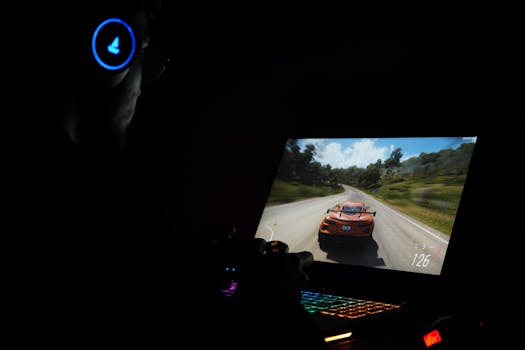
A gamer using a laptop and headphones to play a car racing game in a dark setting.Photo: Rajat Yadav / Pexels
Beyond raw processing power, the display quality significantly impacts your gaming immersion and competitive edge. When considering how to choose a gaming laptop 2024, the screen's refresh rate, resolution, and panel type are critical. A high refresh rate, typically 120Hz, 144Hz, 240Hz, or even 360Hz, ensures smoother motion and less ghosting, which is particularly beneficial in fast-paced games like first-person shooters or racing titles. While 60Hz is standard for non-gaming laptops, it's a noticeable limitation for serious gamers. Paired with a high refresh rate, a fast response time (1ms to 3ms) further reduces motion blur. Resolution is another key factor. Full HD (1920x1080) remains the most common and often preferred resolution for gaming laptops, as it allows for higher frame rates with less strain on the GPU. However, QHD (2560x1440) or even 4K (3840x2160) displays are becoming more prevalent. While 4K offers stunning visual clarity, it demands a top-tier GPU to maintain playable frame rates in modern games, making it a more niche choice. QHD strikes a good balance between visual fidelity and performance for many users. IPS panels are generally preferred for their excellent color accuracy and wide viewing angles, crucial for an immersive experience. OLED displays are also emerging, offering incredible contrast and true blacks, though they often come at a premium. Another often-overlooked but crucial aspect when learning how to choose a gaming laptop 2024 is the cooling system. High-performance components generate a lot of heat, and if not dissipated effectively, this can lead to thermal throttling—where the CPU and GPU reduce their clock speeds to prevent overheating, resulting in a significant drop in performance. Look for laptops with robust cooling solutions, including multiple fans, large heatsinks, and advanced vapor chamber technology. Reviews often highlight a laptop's thermal performance, so pay close attention to real-world tests. Better cooling not only ensures sustained performance during long gaming sessions but also contributes to the longevity of your laptop's components. Some manufacturers even offer software that allows you to customize fan curves or switch between performance modes, giving you more control over the thermal management. A well-designed cooling system is an investment in consistent performance and the overall lifespan of your gaming machine.

Portability, Ergonomics, and Connectivity: Beyond Raw Power

Close-up of a laptop keyboard glowing with vibrant purple neon lights, creating a futuristic tech vibe.Photo: Bibek ghosh / Pexels
While performance is king, the overall user experience of a gaming laptop extends far beyond its internal components. When you're considering how to choose a gaming laptop 2024, factors like portability, keyboard quality, and connectivity play a significant role in daily usability. Gaming laptops have historically been bulky, but manufacturers are increasingly focusing on slimmer, lighter designs. If you plan to travel frequently or use your laptop in various locations, a lighter model (under 2.5kg) with a smaller footprint might be a priority. However, be aware that ultra-thin designs sometimes compromise on cooling capacity or battery life. Conversely, larger laptops often accommodate more powerful cooling systems and larger batteries, which can be a trade-off worth considering for desktop replacements. The keyboard is your primary interface with games, so its quality is paramount. Look for a keyboard with good key travel, tactile feedback, and anti-ghosting technology, which ensures that multiple key presses are registered simultaneously. RGB backlighting is a common feature, allowing for customization and improved visibility in low-light conditions. Some high-end models even offer mechanical or opto-mechanical switches for a superior typing and gaming feel. The trackpad quality is less critical for gaming, as most gamers use an external mouse, but a responsive and accurate trackpad is still appreciated for general use. Connectivity is another vital aspect. Ensure the laptop has a good selection of ports to accommodate your peripherals. USB-A ports (preferably USB 3.0 or higher) are essential for mice, keyboards, and external drives. USB-C with Thunderbolt 4 offers versatile connectivity for high-speed data transfer, external displays, and even eGPUs (external graphics cards), although the latter is less common for gaming laptops. An HDMI or DisplayPort output is crucial for connecting to external monitors or TVs. Ethernet (RJ-45) for a stable wired internet connection is highly recommended for online gaming, minimizing latency. For wireless connectivity, look for Wi-Fi 6E or Wi-Fi 7 for the fastest and most reliable wireless performance, alongside Bluetooth 5.2 or newer for connecting wireless headsets or controllers. Don't forget about the webcam and microphone quality if you plan to stream or engage in video calls. These often get overlooked but contribute to the overall utility of your gaming machine. Considering these external features is an important part of knowing how to choose a gaming laptop 2024 that fits your lifestyle as much as your gaming habits.

Common Mistakes to Avoid When Buying a Gaming Laptop

Navigating the world of gaming laptops can be tricky, and several common pitfalls can lead to buyer's remorse. Being aware of these can significantly improve your decision-making process when you're figuring out how to choose a gaming laptop 2024. **1. Over-prioritizing CPU over GPU:** While a good CPU is important, for most games, the GPU is the primary determinant of frame rates. Many beginners focus too much on getting the absolute best CPU and end up with a weaker GPU, which ultimately limits gaming performance more. Always prioritize a stronger GPU for a better gaming experience, especially if your budget is constrained. **2. Neglecting the Display:** A powerful laptop is wasted if the display can't keep up. Settling for a 60Hz panel on a gaming laptop capable of pushing hundreds of frames per second is a common mistake. Always aim for at least a 120Hz or 144Hz refresh rate for a noticeably smoother gaming experience. **3. Underestimating Storage Needs:** Modern games are massive, often exceeding 100GB. A 256GB or even 512GB SSD can fill up incredibly fast. Always opt for at least 1TB NVMe SSD, or a configuration that allows for easy expansion later. Running out of space is frustrating and can impact performance. **4. Ignoring Thermal Performance:** A laptop's cooling system is vital. A powerful CPU and GPU generate significant heat. If a laptop has poor cooling, components will throttle, leading to reduced performance during extended gaming sessions. Read reviews that specifically address thermal performance under load. **5. Forgetting About Battery Life:** Gaming laptops are not known for exceptional battery life, especially during gaming. However, some models offer significantly better endurance for general productivity or light tasks. If you plan to use your laptop unplugged frequently, check battery life benchmarks for non-gaming use cases. **6. Skipping User Reviews and Benchmarks:** Don't rely solely on manufacturer specifications. Always check independent reviews, YouTube benchmarks, and user feedback for real-world performance data, thermal behavior, and build quality. This provides a more realistic expectation of what you're buying. **7. Overspending on Unnecessary Features:** While RGB lighting, fancy designs, or an ultra-high refresh rate might look appealing, consider if they genuinely enhance your core gaming experience or if that money could be better spent on a more powerful GPU or more storage. Stick to your budget and prioritize components that matter most for performance.

Comparison

FeatureHigh-End Gaming (AAA)Mid-Range Gaming (Esports/Mixed)Budget Gaming (Casual/Older)
GPURTX 4080/4090 or RX 7800S/7900XTXRTX 4060/4070 or RX 7600S/7700SRTX 3050/4050 or RX 6600M/7600S
CPUIntel i9-14900HX/Ryzen 9 7945HXIntel i7-13700HX/Ryzen 7 7745HXIntel i5-13500H/Ryzen 5 7640HS
RAM32GB DDR516GB DDR58GB DDR4 (upgradable)
Storage1TB NVMe PCIe 4.0 (2TB ideal)512GB - 1TB NVMe PCIe 4.0512GB NVMe PCIe 3.0/4.0
DisplayQHD 240Hz+ / 4K 120Hz+ OLED/IPSFHD 144Hz-240Hz IPSFHD 120Hz IPS
CoolingAdvanced Vapor Chamber / Liquid MetalMulti-fan, Large HeatsinksStandard Dual Fan
Price Range (EUR)2500€+1500€ - 2500€800€ - 1500€
Ray Tracing✓ (moderate settings)✗ (limited)

What Our Readers Say

5 ★★★★★

"This guide truly demystified how to choose a gaming laptop 2024. I was overwhelmed by options, but now I understand which specs matter most for my budget. My new laptop runs Cyberpunk 2077 beautifully!"

5 ★★★★★

"As an avid esports player, I needed a high refresh rate screen. This article highlighted its importance, helping me select a laptop that gives me a competitive edge. The clarity on my new 240Hz display is amazing."

5 ★★★★★

"I followed the advice on prioritizing the GPU and got an RTX 4070. The performance difference from my old machine is night and day. Every game feels incredibly smooth and responsive, exactly what I hoped for."

4 ★★★★☆

"The guide was mostly excellent, though I wish it had a bit more detail on specific CPU benchmarks for streaming. Still, it helped me avoid common mistakes and get a solid gaming laptop within my budget."

5 ★★★★★

"I used this guide to select a gaming laptop for my son's birthday. The breakdown of components made it easy to explain why certain features were important. He's thrilled with his new machine for Roblox and Fortnite."

Frequently Asked Questions

What is the single most important component when I choose a gaming laptop 2024?
The Graphics Processing Unit (GPU) is generally the most crucial component for gaming performance. It directly impacts frame rates and visual quality. Prioritizing a powerful GPU within your budget will yield the biggest improvement in your gaming experience.
Do I really need 16GB of RAM for gaming in 2024?
Yes, 16GB of DDR5 RAM is highly recommended and considered the sweet spot for modern gaming in 2024. While some older titles might run on 8GB, 16GB ensures smoother performance, better multitasking, and future-proofing for upcoming demanding games.
How important is the screen's refresh rate for a gaming laptop?
The screen's refresh rate is extremely important for gaming. A higher refresh rate (120Hz, 144Hz, or more) provides a significantly smoother visual experience, reducing motion blur and making fast-paced games feel more fluid and responsive compared to a standard 60Hz display.
What's a good budget to choose a gaming laptop 2024?
A good budget for a capable gaming laptop in 2024 typically ranges from 1200€ to 2000€ for a solid mid-range machine that can handle most modern games at FHD. High-end models can easily exceed 2500€, while budget options start around 800€ but come with compromises.
Should I choose a gaming laptop with an Intel or AMD processor?
Both Intel and AMD offer excellent processors for gaming in 2024. Intel's latest Core i7/i9 HX series and AMD's Ryzen 7/9 HX series provide comparable high-end gaming performance. The choice often comes down to specific model pricing, power efficiency, and preference, as both are very capable.
Who should consider a gaming laptop over a desktop PC?
A gaming laptop is ideal for individuals who prioritize portability and space-saving. If you frequently travel, need to move your setup between rooms, or live in a smaller apartment where a full desktop PC isn't feasible, a gaming laptop offers a powerful, all-in-one solution.
Is thermal throttling a major risk with gaming laptops?
Thermal throttling can be a significant risk with gaming laptops due to their compact design and powerful components. It's crucial to research a laptop's cooling system through reviews to ensure it can manage heat effectively during long gaming sessions, preventing performance degradation.
What future trends should I consider when I choose a gaming laptop 2024?
Future trends to consider include wider adoption of OLED displays for superior visuals, more efficient cooling solutions allowing for thinner designs, increased integration of AI-powered features for performance optimization, and potentially longer battery lives thanks to more power-efficient components and better software management.

Armed with this comprehensive guide, you are now well-equipped to confidently choose a gaming laptop 2024 that perfectly matches your gaming aspirations and budget. Dive into the world of immersive gaming with the right machine, ensuring countless hours of high-performance entertainment.

Topics: how to choose a gaming laptop 2024best gaming laptop specsgaming laptop budgetgaming laptop performancegaming laptop buying guide